

If you want to make a great presentation fast but don't want to get bogged down in the details, then you need a Visual QuickProject Guide!
You don't need to know every feature-you just want to know how to get your project done.
Full-color illustrations show you how to perform each step of your project from start to finish.
Low priced-why pay for more than you need?
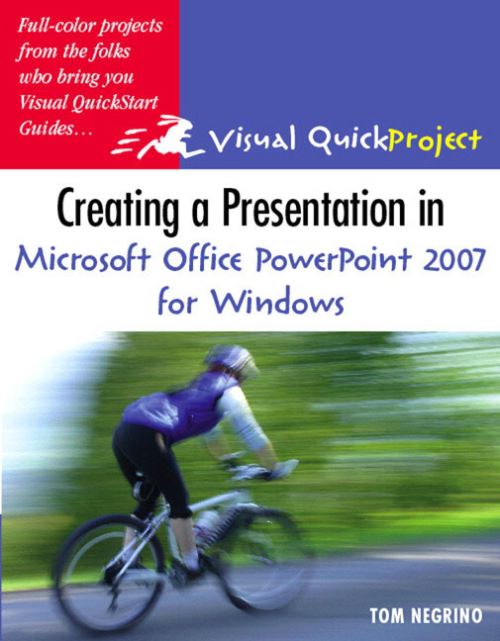
Microsoft PowerPoint is nearly ubiquitous in today's world--from business to schools to clubs to organizations, PowerPoint presentations are everywhere you turn. To learn to create the best-looking presentations--the ones that stand out in terms of content and visual appeal--fast, readers needCreating a Presentation in Microsoft Office PowerPoint 2007: Visual QuickProject Guide.
PowerPoint presenter extraordinaire Tom Negrino steps readers through a single, basic presentation. He begins with an overview of the redesigned Office interface and highlights the tools readers will use as they create their project. From there, readers begin writing their presentation, gathering images and sound files, choosing a design, working with text, and adding graphics and slide effects and transitions.
From there they learn about presenting and sharing their presentations with the world. Readers will learn how to use the attractive new themes in PowerPoint and so much more. In the end, they will have a professional-looking and visually appealing presentation they can use anywhere! Each book in the Visual QuickProject Guide series now has a companion website featuring sample project files--making it even easier for users to work through each project as they read through the book.
| ISBN: | 9780321492371 |
| Publication date: | 2nd March 2007 |
| Author: | Tom Negrino |
| Publisher: | Peachpit Press an imprint of Pearson Education |
| Format: | Paperback |
| Pagination: | 127 pages |
| Series: | Visual Quickproject Guide |
| Genres: |
Presentation graphics software |
If you want to make a great presentation fast but don't want to get bogged down in the details, then you need a Visual QuickProject Guide!You don't need to know every feature-you just want to know how to get your project done.Full-color illustrations show you how to perform each step of your project from start to finish.Low priced-why pay for more than you need?Microsoft PowerPoint is nearly ubiquitous in today's world--from business to schools to clubs to organizations, PowerPoint presentations are everywhere you turn. To learn to create the best-looking presentations--the ones that stand out in terms of content and visual appeal--fast, readers needCreating a Presentation in Microsoft Office PowerPoint 2007: Visual QuickProject Guide.
Creating a Presentation in Microsoft Office PowerPoint 2007 for Windows features in the following genres: Presentation graphics software
Paperback, Ebook. Not Available.
Creating a Presentation in Microsoft Office PowerPoint 2007 for Windows was written by Tom Negrino and published by Peachpit Press an imprint of Pearson Education
Creating a Presentation in Microsoft Office PowerPoint 2007 for Windows has 127 pages
Yes it is part of Visual Quickproject Guide series